

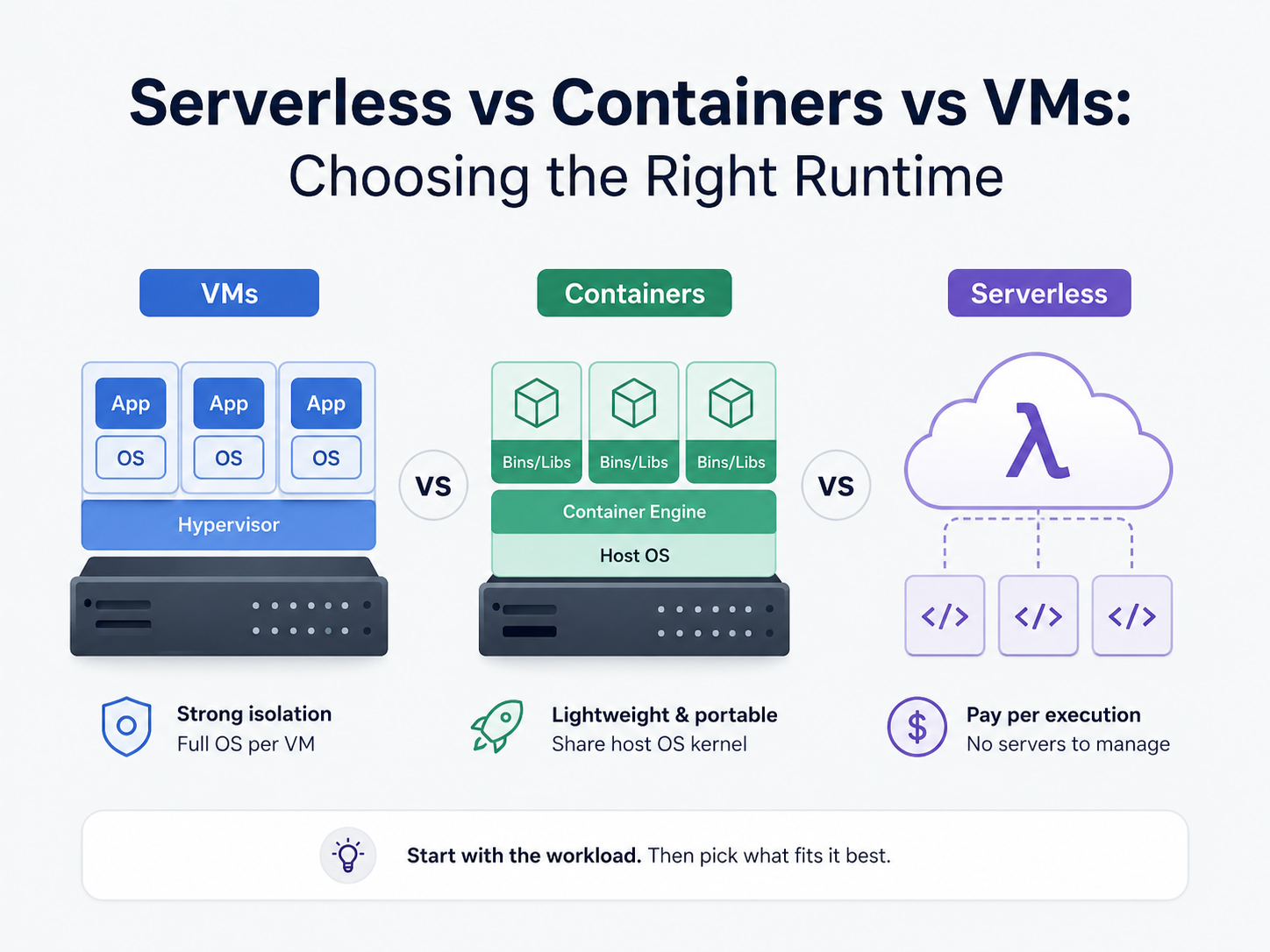
Your app code needs some space to live in. That is simply a fact of life in the software development game. And where it runs changes all of that. That one call flows into speed, price, and manageability.
There are three contenders in the lead: Virtual Machines, containers, and serverless. Each one arrived to solve a genuine headache. And each has its own trade-offs that show only later.
There Is No Clean Winner Among Serverless, Containers, and VMs. So let’s look at all three honestly.
What’s a VM?
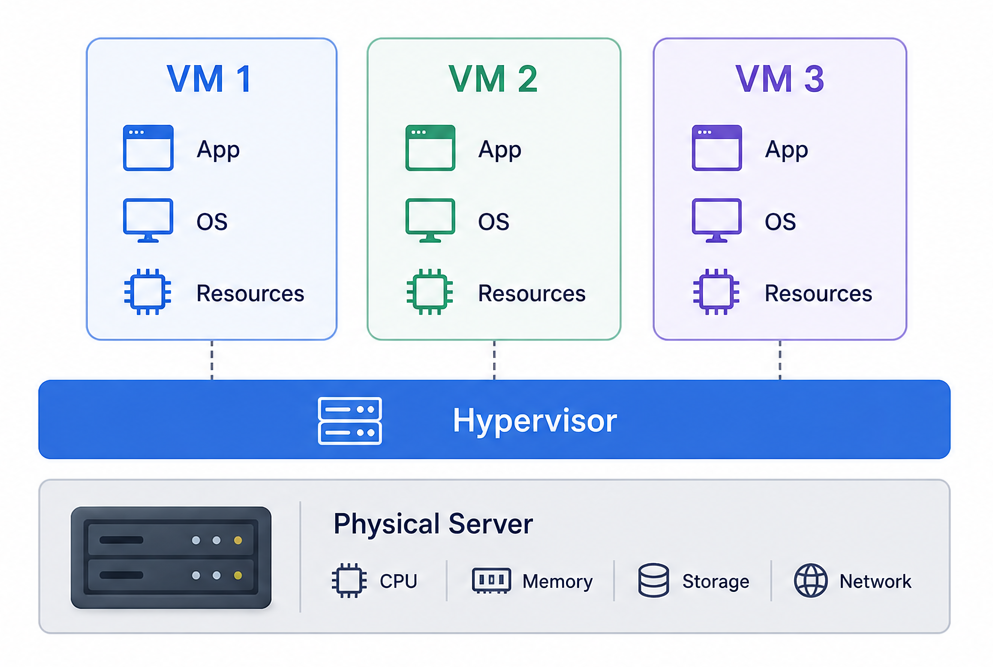
Essentially, a VM is a virtualized computer running on a real computer. A hypervisor is software that partitions a physical server into virtual machines. Each VM gets its own processor, memory, and storage. It also runs a full-fledged operating system of its own.
That’s what makes VMs unique. The isolation is very strong. If a VM fails, the others carry on. If someone hacks you, they only ever get as far as that box. This is heavily relied on by banks, hospitals, and government systems.
But VMs are heavy. Booting one takes minutes. Of course, even a really small app has a complete operating system underneath it. That wastes a ton of memory and money, especially if you are running many of them.
What About Containers?
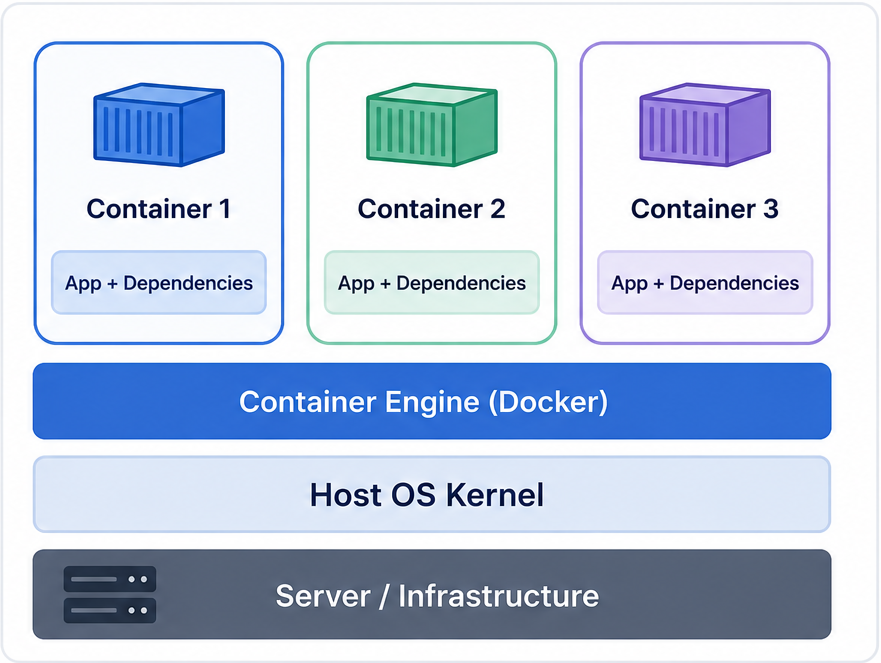
Containers were developed to address the weight problem. Instead of each app running its own operating system, containers share the host system kernel. That makes them much lighter and much faster to start. We’re talking seconds, not minutes.
You can pack way more containers onto a single server than VMs. Tools like Docker make it easy to wrap your app and its files into a single portable unit. Then Kubernetes came along to help teams manage hundreds of containers at once.
The big draw is consistency. You build a container on your laptop, and it runs the same way in production. That alone saves a ton of debugging time. The catch is that you still manage the servers underneath. That takes time, money, and people who know what they’re doing.
So What Is Serverless?
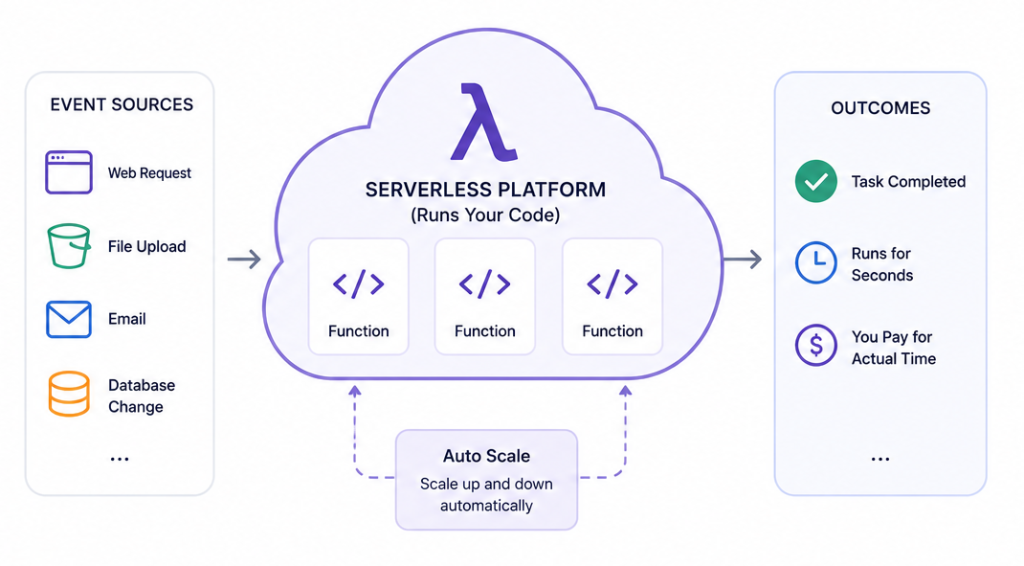
Serverless flips the whole model. You write a small function and hand it to a cloud provider. The provider runs it on demand and charges you only for the time it actually runs.
No idle servers. No machines burning money late at night. The cloud scales it up or down automatically based on actual demand.
This setup works great for event-driven tasks. Say a user uploads a file. A function fires, processes it, then shuts off. You paid for a few seconds of computer time. Done. For unpredictable traffic spikes, serverless saves real money.
The downside is startup lag. A function that hasn’t run in a bit takes a moment to wake up. For apps that need instant responses all day, that delay becomes a real issue.
So Which One Do You Pick?
Here’s a simple guide:
- Choose VMs for workloads with strong isolation, or where workload regulation is a requirement
- Choose containers that offer portability, control, and capabilities for consistent deployments.
- Select serverless when you are using an event-driven workload and want to avoid managing servers
In practice, real systems use more than one of those. There is seldom just one answer to the serverless-versus-containers-versus-VMs question. One example of this is a backend service that runs in containers. An example would be a job that processes files that might go serverless. There might be a legacy database that runs on a VM. Start with the workload. Then pick what fits it best.
