


Next.js has undergone significant changes over the years. It includes powerful new technologies such as the App Router and Server Actions, which are now used by default to build fast web apps. If you have a separate API route for each individual small mutation, you’re working too hard.
Now let us talk about the real good stuff for Next.js performance in 2026.
The App Router Makes Routing Simple
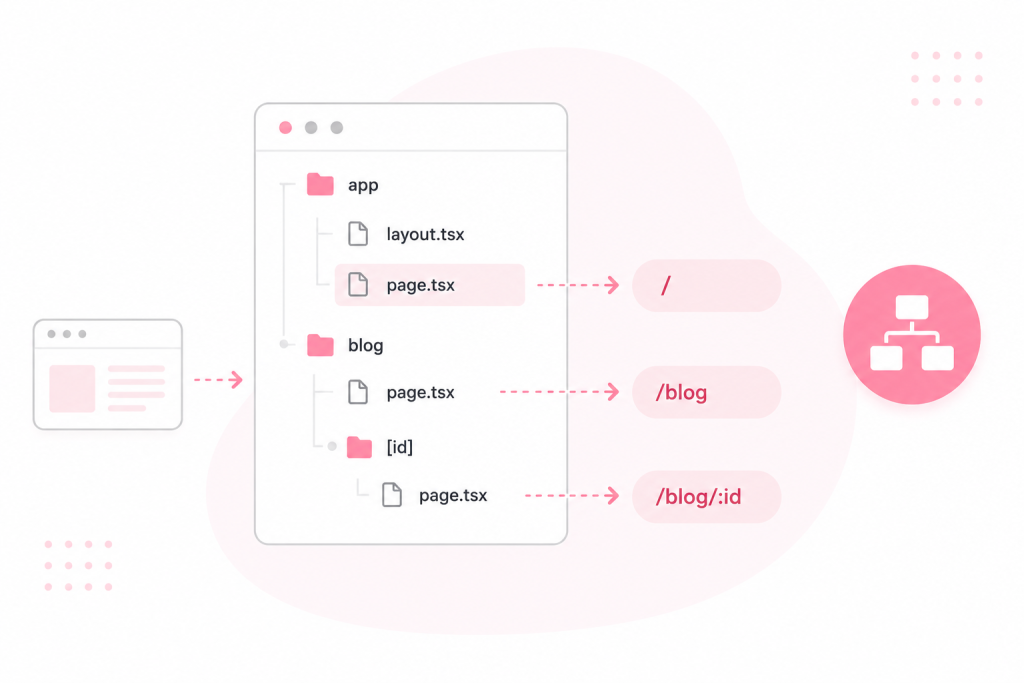
The App Router turns your folder structure into your routes. Drop a `page.tsx` file inside `app/blog/` and you’ve got a `/blog` route. Here, you will not need any kind of setup.
Here’s the basic structure:
- `app/page.tsx` maps to the home route at `/`
- `app/blog/page.tsx` maps to `/blog`
- `app/blog/[id]/page.tsx` maps to `/blog/:id` for dynamic pages
Each folder can also hold a `layout.tsx` file. That layout wraps every page inside that folder. It’s a simple way to share navbars, footers, and repeated UI parts across your whole site.
The biggest advantage of Next.js performance is that every component in the App Router runs on the server by default. Less JavaScript ships to the browser. As a result, the pages will load faster, and the visitors will notice the difference.
Server Actions Cut Out the Middleman
Server Actions are async functions that work on servers. You make calls to them directly within your React components. You don’t need a separate API file, fetch calls, or JSON wrangling.
This is how it looks IRL: You have a form. Pass a Server Action to the form’s `action` prop. Next, JS handles the HTTP request on its own.
You don’t need to have an API route or boilerplate. All you need is clean code.
There’s a bonus here, too. Server Actions can function even with JavaScript disabled in the browser. That’s progressive enhancement. And that makes your forms open and accessible to everyone.
Next JS Performance Habits Worth Building
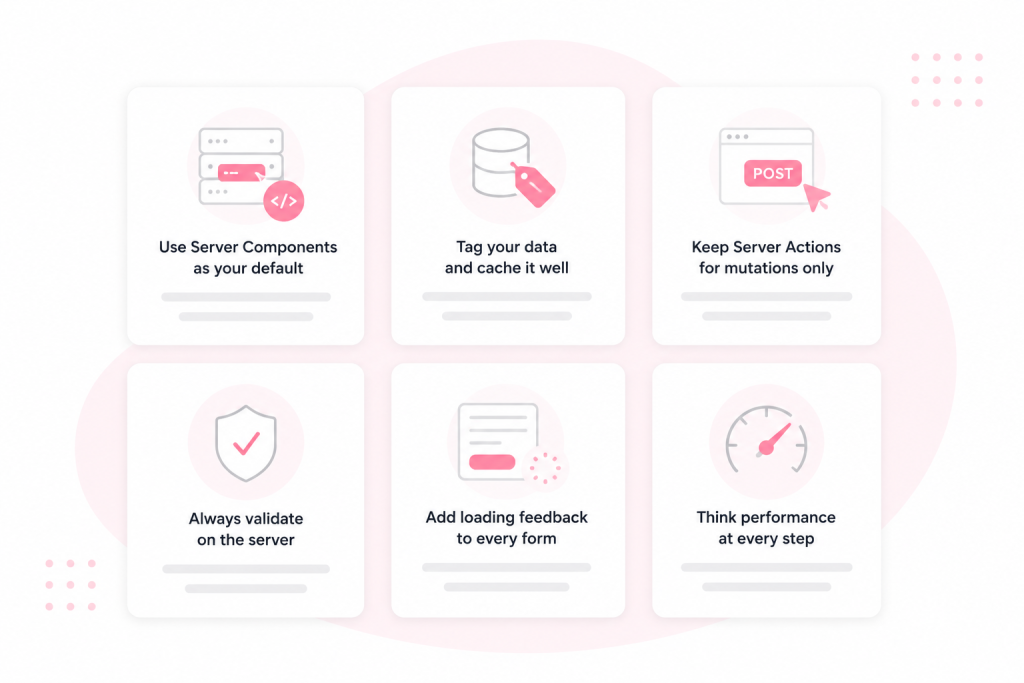
These habits also affect speed. Follow them, and your app stays fast as it grows.
Use Server Components as your default. Only switch to a Client Component when you need something interactive, like a click handler or live form state. Every Client Component adds more JavaScript to the page.
Tag your data and cache it well. Next.js lets you tag fetch calls: `next: { tags: [‘posts’] }`. After a mutation, call `revalidateTag(‘posts’)` inside a Server Action. Only that tagged data refreshes. Everything else stays cached and loads fast.
Keep Server Actions for mutations only. Server Actions use POST requests. They’re built to create, update, and delete tasks. So you need to use Server Components to read and display data instead. Also, mixing the two breaks caching.
Always validate on the server. Client-side checks are great for the user’s experience. But they’re not a safety net. Use Zod inside your Server Action to check every input before it hits your database.
Add loading feedback to every form. A form that submits with no response feels broken. And so use `useFormStatus` from react-dom. It adds a pending state to your submit button in just a few lines.
Mistakes That Hurt Performance
Some basic habits can significantly affect Next.js’s performance.
- Using Client Components everywhere increases the size of your JavaScript bundle
- Stale data on screen when skipping revalidatePath after a mutation
- The absence of server-side validation introduces actual security vulnerabilities
- It’s said that fetching data inside Server Actions bypasses the cache on every occasion
And so you need to spot these early and fix them quickly.
Wrapping Up
Next.js in 2026 rewards a clean and simple approach. You will need to lean on Server Components and also put mutations in Server Actions. You can also use tags to cache and refresh data the smart way.
Your app will get faster, and your code will get cleaner. That’s a trade worth taking.
