


Are you ready to take your app from local containers to cloud-native work? If yes, you need to know that moving from Docker to Kubernetes is more than a simple tech swap. Once you have moved in, you gain more control and room to grow. Now let’s break the move into simple steps your dev team can follow.
Why Move From Docker to Kubernetes?
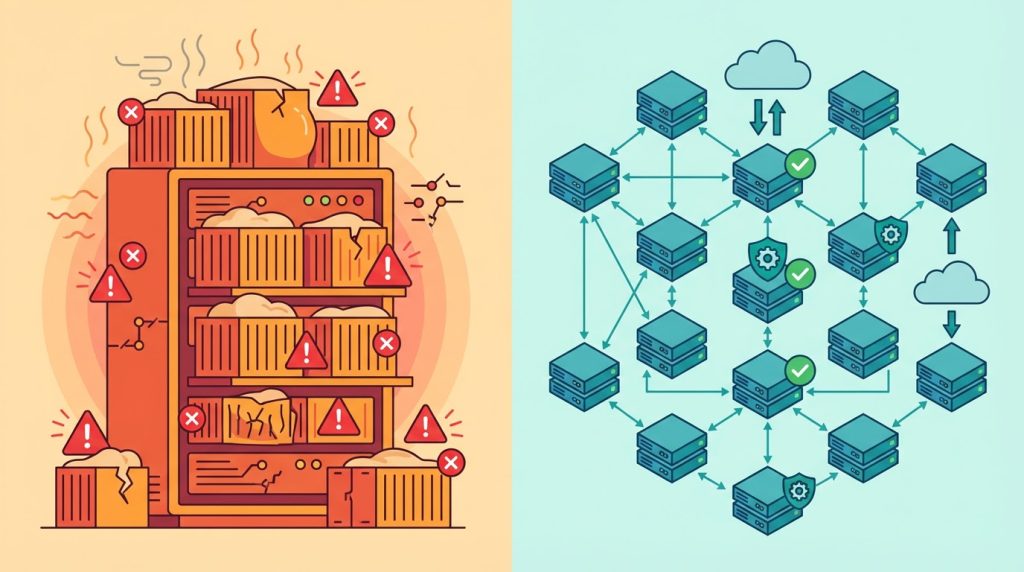
Docker works great for packaging apps into neat little containers. But on its own, Docker has so many limitations. It runs on just one machine, and if that machine crashes, your app goes down too. And that can ruin the whole setup.
This is where Kubernetes comes in. It fixes this by spreading your containers across many machines. It also
- Heals itself when things break
- Scales up or down automatically
- Updates apps without downtime
- Manages network traffic smartly
Pre-Migration Checklist
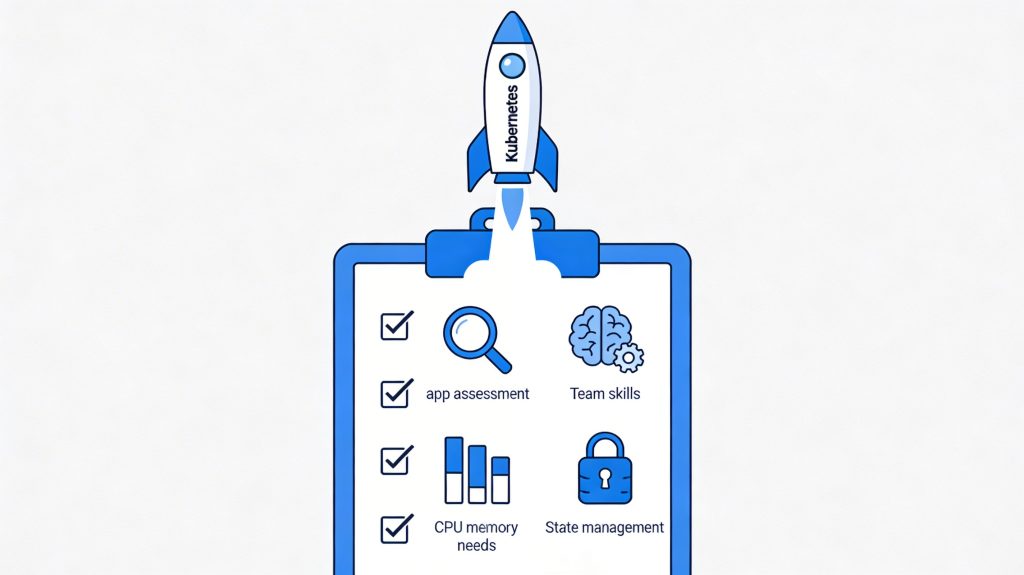
You need to check if you’re ready before jumping in:
App Assessment: First, you need to determine whether your app even needs Kubernetes. Because small apps with few users might do fine with just Docker.
Team Skills: Do you have team members who know how to run Kubernetes? And if not, you need to budget time for learning.
Resource Needs: You should also list out CPU, memory, and storage needs. And that should be for each part of your app.
State Management: Figure out how you’ll handle data that needs to be stored. You might even end up needing an extra database.
Step 1: Containerize Everything
First, make sure all parts of your app run well in Docker:
- Check that your Dockerfiles follow best practices
- Use smaller base images when possible
- Put config info in environment variables and not hardcoded
- Test each container thoroughly before moving on
Step 2: Create Kubernetes Resource Files
Now translate your Docker setup into Kubernetes language:
- Pods: These hold your containers
- Deployments: Control how pods run and update
- Services: Help pods talk to each other
- ConfigMaps/Secrets: Store settings and secret stuff
Here’s a basic deployment example:
yaml

apiVersion: apps/v1

kind: Deployment

metadata:

  name: myapp

spec:

  replicas: 3

  selector:

    matchLabels:

      app: myapp

  template:

    metadata:

      labels:

        app: myapp

    spec:

      containers:

      name: myapp

        image: myregistry/myapp:1.0

        ports:

        containerPort: 3000
Step 3: Set Up Your Registry
Kubernetes needs to grab your images from somewhere:
- Push your Docker images to a registry (Docker Hub, AWS ECR, etc.)
- Make sure your Kubernetes cluster can access this registry
- Use image tags smartly and also avoid using “latest.”
Step 4: Configure Networking
Help your app parts talk to each other:
- Create Services for each component
- Decide how traffic gets in (Ingress or LoadBalancer)
- Set up network policies if you need extra security
Step 5: Plan for Data
Containers come and go, but data should stay put:
- Set up PersistentVolumes for databases
- Back up data before migrating
- Test data recovery processes
Step 6: Deploy in Stages
Don’t move everything at once:
- Start with non-critical parts of your app
- Use a staging environment first
- Try blue/green deployment to switch traffic gradually
- Keep your Docker setup running until Kubernetes proves itself
Step 7: Monitor Everything
Keep an eye on your new setup:
- Set up logging with tools like ELK or Loki
- Add metrics with Prometheus
- Create dashboards in Grafana
- Set alerts for when things look weird
Common Challenges to Watch For
You might hit bumps even with planning:
- Resource Limits: Set CPU and memory limits for each container
- Config Issues: Double-check environment variables and secrets
- Persistent Storage: Test volume mounts thoroughly
- Network Problems: Check Services and DNS settings if pods can’t find each other
Final Checklist
Before calling it done:
- Can your app scale up and down?
- Does it restart itself when something crashes?
- Can you update without downtime?
- Is monitoring giving you useful info?
- Can new team members understand the setup?
Moving from Docker to Kubernetes takes work. But it’s worth it. You get a steadier app and smoother scaling when traffic spikes. And you spend less time babysitting containers.
Kubernetes also presents several opportunities for developers. Those skills come with lots of job opportunities.
Using Kubernetes can make you feel like the system administrator you always wanted to be. Start by picking just one service. You’ll learn a lot from that first one. After that, the options feel endless. You’ll wonder how you ever managed without it.
